Google's Gemini has been my go-to AI designer for a while now. 90% of the time it seriously stamps over its competitors in this regard, so when an email landed in my inbox "Introducing "vibe design" with Snitch" I jumped on it immediately.
The email provides "when "vibe designing" with Stitch, you can explore many ideas quickly leading to a higher quality outcome." it sounds promising, very promising. "the canvas's extensive context is also being paired with a brand new design agent that can reason across the entire project's evolution."
I'm currently working on a design for a data-heavy dashboard with Gemini in the web UI, so I was very excited to fire this up and see what it could do. It seemed extremely promising. The interface/product is, apparently, not new. Although I'd never heard of Stitch, it's the AI-native part which is the new part, I'd never used it with or without AI.
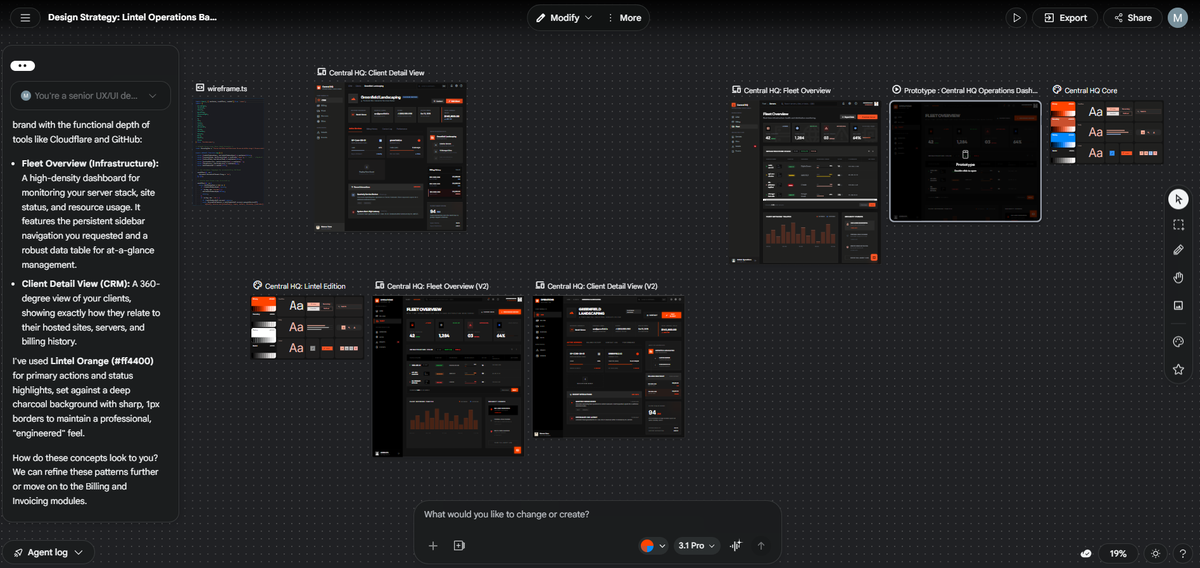
The interface seems very much like Figma or any other design tool, an endless canvas sort of situation, very much feeling like you're a real designer doing real design stuff. Rather that sat having a conversation with a chat box.
After giving it the exact same brief I gave regular Gemini, it produced a "design strategy" document, alongside an entire design system of components.
As it was working away, I was getting excited, wondering what it would produce and how much different it would be to what I'd been working with the web UI. I had attached a wireframe for a landing page I'd created, so that it could use the same colours, styles, logo, etc etc. Something that normal Gemini did without a problem.
The outcome, however, left quite a lot to be desired. It didn't include the logo, the design was, interesting, it didn't really use any of the guidance I gave in the initial prompt. It was, objectively, considerably worse than its non-Stitch "vibe design" counterpart.
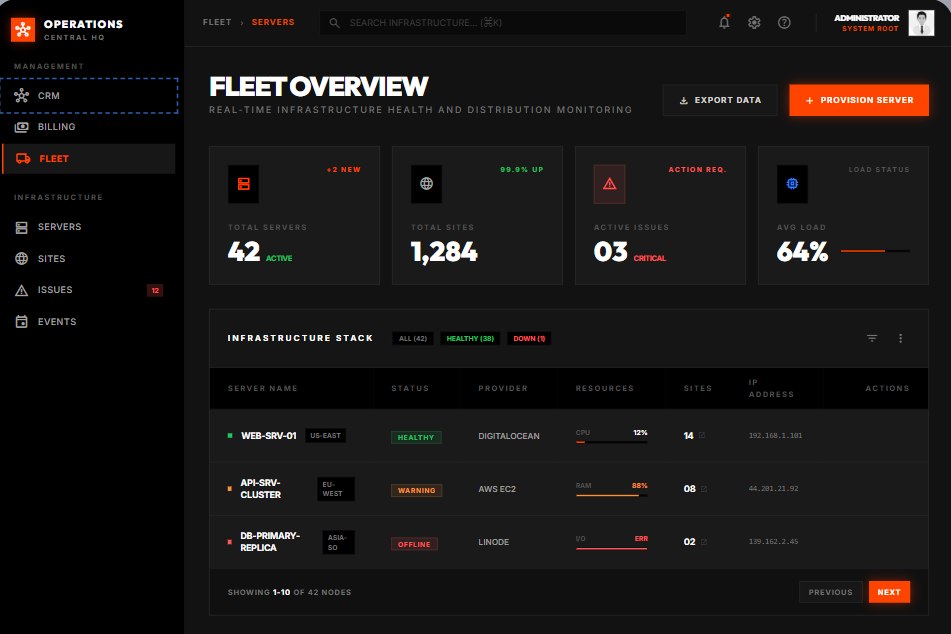
Perhaps I need to spend some more time with it, perhaps it's something that will be grow on me over time. But I just feel like we started out on the back foot. Not including my logo, not using the same button style as the reference design I provided, not really doing anything at all from my initial brief other than the colour palette.
It asked me if I was happy with what we had so far. Not really, "vibe design" queen Stitch, not really. I gave it some pointers, asked to swap a few things around, but ultimately, I couldn't really be bothered. It was a million miles away from what I wanted. It was objectively worse than what normal Gemini just produced on first pass. I didn't really see the point.
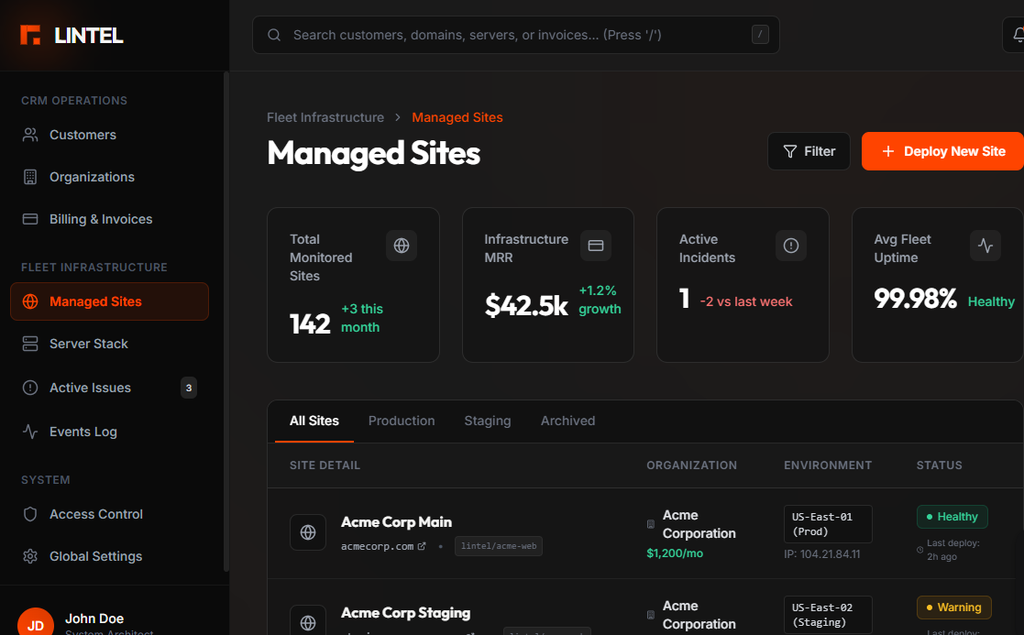
I'll come back to it, I'll play around a bit more, I'll see what I can do. But I just didn't feel like it had the eye for design that Gemini usually does. It just completely missed the mark. When the initial design is that poor, it's hard to know where to start in the iteration process; especially when it pretty much ignored your initial instructions anyway.
That said, it's early days. There's "beta" plastered everywhere. It's clearly in its infancy. The platform itself is very promising. The concept is great. There are many features which could be MASSIVELY useful. But when the initial concepts are so poor. When it completely ignores your attached logos and references, then it just leaves a bad taste in my mouth.